
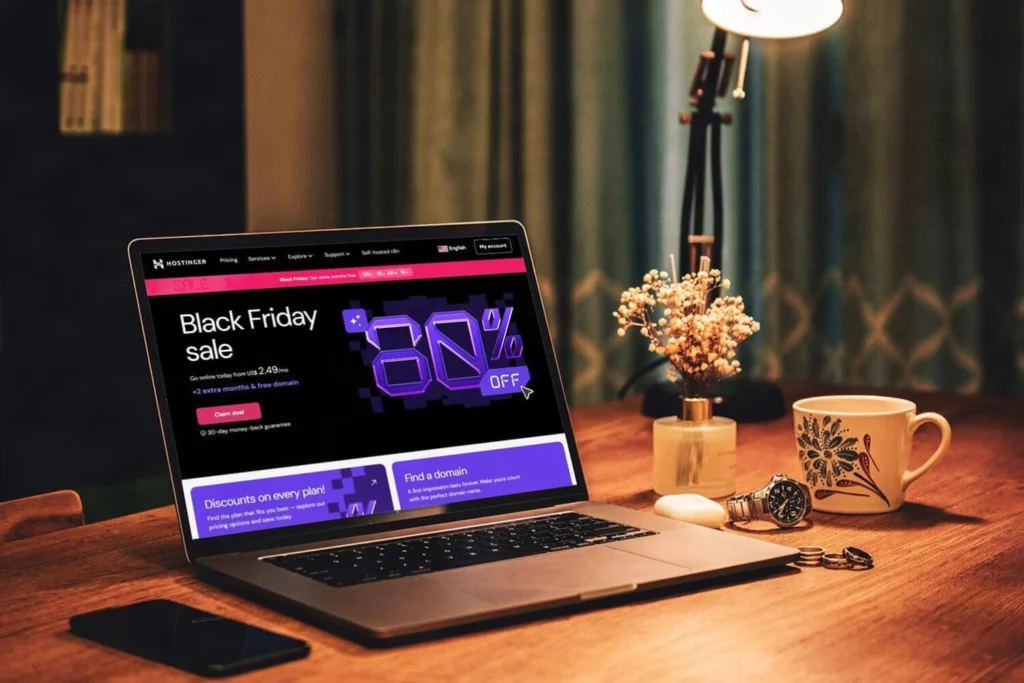
Black Friday 2026 is here, and some of the best Black Friday deals for freelancers 2026 are already available.
But this year, I want to approach Black Friday a little differently.
Instead of publishing a huge list of discounted software, WordPress plugins, AI subscriptions, productivity apps and digital products, I want to focus on something much more practical:
the foundation of your own online business.
If you are a freelancer, affiliate marketer, content creator, consultant, small business owner or simply someone thinking about building a stronger online presence, there is one thing I believe is still worth investing in.
A place of your own on the internet.
Your website.
Social media can help people discover you.
AI tools can help you work faster.
Email marketing can help you stay connected.
But your website can become the place where everything connects.
That is why I have put together what I call:
My Home Online Business Starter Pack 🚀
It is deliberately simple.
Hostinger for hosting.
WordPress as the website management system I personally prefer.
And Astra as the WordPress theme I have used for years.
No list of 47 products.
No pressure to buy every tool available.
Just a practical foundation you can build on.
Because the best Black Friday deal is not automatically the one with the biggest discount.
It is the one that helps you build something you will actually use.
Affiliate disclosure: This article contains affiliate and referral links. I may receive a commission or referral benefit if you purchase through certain links, at no additional cost to you. My recommendations are based on tools I personally use or have used.
Don’t Buy a Discount
Black Friday marketing is extremely good at creating urgency.
You see:
85% OFF
47% OFF
LAST CHANCE
BIGGEST SALE OF THE YEAR
and suddenly a piece of software you had never heard of three days ago feels essential to your future.
The internet has a running joke that seemingly everything will happen before GTA 6.
Black Friday can create a similar feeling.
Apparently, you need to launch three businesses, create five websites, subscribe to seven AI tools and purchase twelve lifetime licenses before the countdown reaches zero. 😄
You don’t.
My rule is simple:
Do not buy something because it is discounted. Buy it because it solves a problem you already have or supports something you genuinely plan to build.
A 90% discount on something you never use is still wasted money.
A 30% discount on infrastructure you were going to buy anyway can be much more valuable.
Why I Created My Home Online Business Starter Pack
Over the years, I have experimented with different website builders, hosting providers, WordPress themes and online business tools.
Some were excellent.
Some were unnecessarily complicated.
Some looked impressive in advertising but did not add much value to my actual workflow.
And my own needs changed too.
I started with simpler websites.
Then came client projects.
Blogs.
Landing pages.
Affiliate content.
Different online projects.
Digital products.
Ecommerce.
Newsletter integrations.
Today, I manage several parts of my online presence simultaneously.
That experience taught me something important:
You do not need every digital tool on the market to build something useful online.
You need a solid foundation.
A reliable place for your website to live.
A website-building system that fits your needs.
And a design foundation that gives you enough flexibility to grow.
For my own WordPress projects, that combination has become:
Hostinger + WordPress + Astra.
Best Black Friday Deals for Freelancers 2026: Start With the Essentials
Before buying automation software, expensive AI subscriptions or complicated marketing platforms, ask yourself:
What am I actually trying to build?
A personal blog?
A freelance portfolio?
A website for your services?
An affiliate website?
An online shop?
A personal brand?
A content hub?
A place where people can join your newsletter?
Maybe several of those things eventually.
Your website can become the central place where those activities meet.
On social media, you work inside someone else’s structure.
Facebook decides how your profile looks.
Instagram decides how links work.
TikTok decides what features exist.
Algorithms decide how much of your audience sees your content.
A website gives you considerably more control over:
your presentation,
your navigation,
your content,
your offers,
your links,
your email list,
and the way your different projects connect.
That is why I still consider a website one of the strongest foundations for anyone trying to build a serious digital presence.
And it starts with hosting.
1. Hostinger Black Friday 2026: My Hosting Pick
Let’s start with a tool I have been using for years.
Hostinger web hosting.
This is not a recommendation I created because Black Friday arrived.
I have used Hostinger for my own websites and website projects for years.
As my needs increased, I upgraded my hosting instead of moving everything to another provider.
For me, that says more than a promotional banner ever could.
I already use the product.
Black Friday simply makes the entry price more interesting for someone who was already planning to build a website.
What Is Web Hosting?
If this is your first website, words such as hosting, domain, DNS and WordPress can make the whole process sound more technical than it really needs to be.
Here is the simplest explanation.
Domain = your address
For example:
filipdoric.com
Hosting = the infrastructure where the website lives
Your files, databases and other website resources need to exist somewhere.
WordPress = the system you use to manage the website
Pages.
Articles.
Images.
Menus.
Users.
Plugins.
Astra = the design foundation I use with WordPress
It helps control layouts, typography, headers, blog presentation and other visual parts of the site.
Once those pieces make sense, website building becomes much easier to understand.
I have also written a separate guide about my experience with Hostinger and why it remains my preferred hosting provider.
Internal link:
Hostinger Web Hosting: Why It’s My Top Hosting Provider Recommendation
If hosting is completely new to you, I recommend reading that guide as well.
Why Hostinger Is Part of My Starter Pack
One reason I like Hostinger is that it does not make the first steps unnecessarily difficult.
You can manage things such as:
your hosting,
websites,
domains,
email,
WordPress installations,
backups,
and other services
from one environment.
That is useful for beginners.
But it also matters later when you start managing more than one project.
I started smaller too.
My requirements grew over time.
That is how I think people should approach digital tools in general.
Start with what you need now and upgrade when your actual work gives you a reason to upgrade.
You do not have to purchase infrastructure today for the imaginary corporation you may own five years from now.
Hostinger Black Friday 2026
At the time I am updating this article, Hostinger is advertising up to 85% off selected Black Friday offers.
Its 2026 Black Friday campaign runs from October 19 through December 14, 2026.
The exact discount depends on:
the plan,
billing term,
market,
and current offer.
That is important.
Do not look only at the largest percentage displayed on the page.
Look at:
what you pay today,
how long the initial term lasts,
what features are included,
and what the renewal price will be later.
Black Friday hosting prices are usually introductory prices.
That does not make them bad deals.
It simply means you should understand what you are buying.
Explore Hostinger
👉 https://www.hostinger.com?REFERRALCODE=FilipDigital
This is my Hostinger referral link.
Check the final checkout price and compare the available plans before purchasing, because promotions and eligibility can vary.
Which Hostinger Plan Should You Choose?
I would not automatically choose the most expensive one.
Think about what you are building.
If you need:
one personal site,
a blog,
a small freelance portfolio,
or a simple business website,
your requirements may be relatively modest.
If you plan to run:
multiple websites,
client projects,
larger WordPress installations,
or more demanding business projects,
then additional resources may make sense.
The important principle is:
choose the plan that fits your project rather than the plan with the most features.
2. You Bought Hosting. What Comes Next?
Now things become more interesting.
You have hosting.
Perhaps you have also registered your domain.
But that still does not answer one important question:
How do you want to build the website?
With Hostinger, one possible path is using its own website-building tools.
Another is installing WordPress.
Both approaches can work.
But they serve slightly different types of users.
3. Hostinger Website Builder or WordPress?
This is one of the first decisions I would make.
And there is no universal winner.
Option A: Hostinger Website Builder
A website builder can make sense if:
you are completely new,
you want a relatively simple site,
you do not want to learn WordPress,
and you prefer a guided visual interface.
For example, maybe you simply need:
a portfolio,
a landing page,
a small business website,
a personal presentation,
or a website for your services.
In that situation, a website builder can remove some of the technical complexity.
You can focus more on:
your text,
your images,
your pages,
and your offer.
That is valuable.
My recommendation: if your requirements are simple and you want the easiest route possible, explore the builder before assuming that WordPress is automatically required.
But think ahead too.
If you expect your website to become a larger content platform, ecommerce project or more customized business system later, consider whether the builder gives you enough flexibility for that direction.
Option B: WordPress
This is the path I personally use most.
WordPress.
WordPress gives me greater flexibility over:
content,
design,
themes,
plugins,
blogging,
SEO,
ecommerce,
integrations,
and how the website evolves over time.
There is a learning curve.
But WordPress is not only for developers.
Far from it.
4. What Is WordPress?
WordPress is a free, open-source content management system.
Or, more simply:
software for creating and managing websites.
You can publish pages.
Write blog posts.
Upload images.
Create menus.
Install themes.
Extend functionality through plugins.
And manage much of your website without writing every page manually in code.
WordPress began as a blogging platform but grew into a much broader website ecosystem.
People now use it for:
blogs,
business websites,
portfolios,
publications,
membership sites,
educational sites,
affiliate sites,
and online shops.
WordPress Core
The core software manages the website itself.
Pages.
Posts.
Media.
Users.
Settings.
Navigation.
Themes
Themes control much of the visual presentation.
Colors.
Typography.
Layouts.
Headers.
Footers.
Blog archives.
Page structures.
This is where Astra enters the picture.
Plugins
Plugins extend the functionality.
You might add:
SEO tools,
contact forms,
security,
analytics,
WooCommerce,
newsletter integrations,
performance tools,
or other functionality.
But here is something beginners often learn the hard way:
you do not need fifty plugins.
Install something when you understand why you need it.
WordPress.org vs WordPress.com
One clarification is useful here.
WordPress.org provides the open-source WordPress software that can be installed on your own hosting.
WordPress.com is a hosted service with its own plans.
When I talk about:
Hostinger + WordPress + Astra
I mean self-hosted WordPress, using the open-source WordPress software on hosting such as Hostinger.
5. Why I Prefer WordPress
My projects change.
That is one of the main reasons I prefer WordPress.
I may begin with:
a blog.
Later, I might add:
a newsletter,
landing pages,
downloads,
affiliate content,
products,
or ecommerce.
A personal website may gradually become a much larger digital hub.
I do not want to rebuild everything every time the project evolves.
With WordPress, I can change and expand the structure over time.
That flexibility has been valuable across my own websites.
But there is a tradeoff.
WordPress requires maintenance.
You need to think about:
updates,
plugins,
security,
backups,
performance,
and general site management.
For me, that tradeoff is worthwhile because of the control and flexibility it provides.
Now comes the next question:
Which WordPress theme should you choose?
6. Astra: The WordPress Theme I Use
My own choice is Astra.
And, again, this is not something I discovered because of a Black Friday sale.
I have used Astra Pro for years across my WordPress work.
I have also written a dedicated article about it:
Internal link:
Astra Pro Theme: Why I Use It for WordPress Websites
I prefer themes that give me a strong foundation without trying to become the entire website.
Astra gives me room to control the structure while keeping the underlying theme relatively lightweight.
Why Astra Works for Me
Performance
Astra is designed around a lightweight approach.
Of course, your theme is only one part of website performance.
Your:
hosting,
plugins,
images,
scripts,
caching,
and overall configuration
also matter.
But starting with a theme that is not unnecessarily heavy makes sense.
Customization
I want control over:
colors,
fonts,
headers,
layouts,
blog archives,
menus,
and overall site structure.
That is especially useful when managing different brands and websites.
I do not want every website I create to look identical.
Compatibility
WordPress gives you a huge ecosystem.
Astra works within that ecosystem and supports common WordPress workflows, including ecommerce with WooCommerce.
Room to Grow
You can start with:
a few pages and a blog.
Later, you can expand into:
more content,
services,
products,
landing pages,
or ecommerce.
That ability to grow without immediately replacing the theme is one reason I continue using it.
7. Astra Free vs Astra Pro
This part is important.
You do not automatically need Astra Pro.
If you are building your first WordPress website, install Astra Free first.
Use it.
Explore the settings.
Build some pages.
Publish something.
Understand what you actually need.
Then decide.
Buying premium software before you understand the free version is often the wrong order.
What Can You Build With Astra Free?
Astra Free can already support many straightforward projects.
For example:
a blog,
portfolio,
personal website,
simple business site,
or informational website.
A professional website is not professional because you paid for the theme.
It becomes professional through:
clarity,
design decisions,
content,
navigation,
performance,
and usefulness.
What Does Astra Pro Add?
Astra Pro expands your design and customization options.
Depending on the package and current product structure, premium functionality may include greater control over areas such as:
headers,
footers,
layouts,
typography,
blog presentation,
WooCommerce,
navigation,
and other design components.
This becomes more valuable when:
you manage multiple projects,
you build websites professionally,
or your own website has become important enough that additional control saves you time.
That is where I am.
I know why I use the premium functionality.
That is very different from buying it only because it is discounted.
8. Astra Black Friday 2026
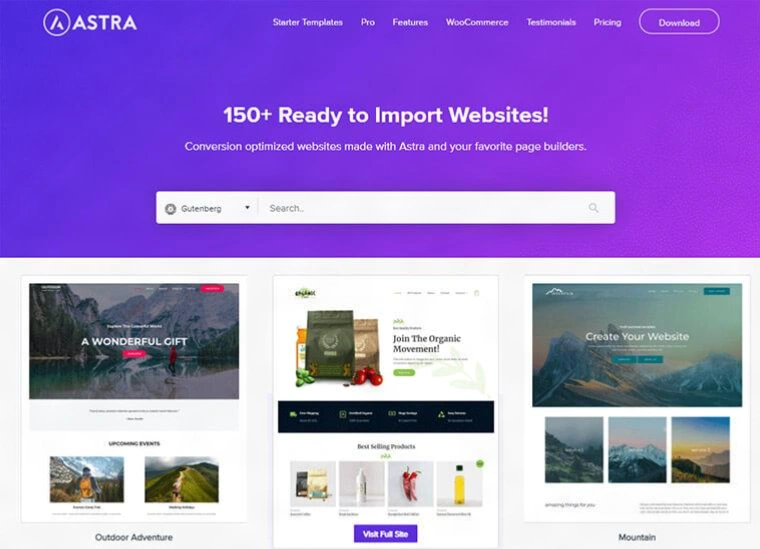
Astra’s current Black Friday campaign advertises discounts of up to 47% on selected products and plans.
The published 2026 promotion runs from November 16 through December 6, 2026.
Astra currently has multiple commercial options, so pay attention to what you are actually buying.
Some offerings may include combinations of:
Astra Pro,
AI website-building tools,
design resources,
or other services.
If you already have Hostinger hosting, you may not need another hosting package bundled elsewhere.
Compare the components.
Do not buy duplicated infrastructure simply because the bundle looks attractive.
Explore Astra / Astra Pro
👉 https://wpastra.com/?bsf=14251
This is my Astra affiliate link.
Annual or Lifetime?
This depends entirely on how you expect to use the product.
Annual
An annual plan may be appropriate if:
you are testing the premium features,
you have one main project,
or you prefer a smaller initial commitment.
But always check renewal pricing.
Lifetime
A lifetime license may become more interesting if:
you expect to use Astra across projects for years,
you manage multiple WordPress websites,
or you know the premium features already have an established place in your workflow.
But do not let the word lifetime make the decision for you.
A lifetime license you never use is still money wasted.
9. My Home Online Business Starter Pack
So let’s put everything together.
Someone tells me:
“Filip, I want to build my first serious website. Where do I start?”
This is the basic path I would suggest.
Step 1: Decide What You Are Building
Before buying anything, define the project.
Blog?
Portfolio?
Freelance site?
Business website?
Affiliate site?
Online shop?
Personal brand?
This decision affects everything else.
Step 2: Choose a Domain
Pick something:
clear,
memorable,
easy to type,
and appropriate for the project.
For a personal brand, your own name can often work well.
For a business, the brand name may make more sense.
Step 3: Choose Hosting
This is where Hostinger enters my stack.
Compare the available plans.
Look at:
how many sites you expect to run,
storage,
backup options,
email,
domain benefits,
renewal price,
and the total amount paid upfront.
Do not choose based only on the largest discount.
Step 4: Choose How You Want to Build
If you want something simpler:
explore Hostinger Website Builder.
If you want:
blogging,
plugins,
deeper customization,
a larger ecosystem,
and more long-term flexibility,
consider WordPress.
Step 5: Install WordPress
If you choose WordPress, set up the installation through your hosting environment.
Then log into the WordPress dashboard.
That is where the website begins taking shape.
Step 6: Install Astra Free
Search for Astra in the WordPress theme directory.
Install it.
Activate it.
Start building.
Do not purchase Pro simply because I use Pro.
First discover whether you need it.
Step 7: Upgrade When the Limitation Becomes Clear
Once you start saying things such as:
“I wish I could control this layout more.”
or
“I need this additional design option.”
then you have an actual reason to evaluate Astra Pro.
That is the moment when buying premium software becomes much easier to justify.
10. What Does This Starter Pack Actually Give You?
It gives you infrastructure.
Not a business.
That distinction is important.
Hostinger cannot decide what your business should offer.
WordPress cannot write your positioning for you.
Astra cannot make people care about your website.
These tools provide the structure.
You still provide the value.
You need:
a clear message,
useful content,
services or products,
relationships,
and a reason for people to visit.
A beautiful empty website is still empty.
Think About the Next Action
When someone lands on your site, what should they do?
Read an article?
Learn what you offer?
View your work?
Join your newsletter?
Contact you?
Buy a product?
Your website should make the next logical step relatively obvious.
That matters more than adding another fancy animation.
11. Don’t Forget Email
A website is your digital base.
But you also need ways to maintain relationships with people who visit it.
That is where email becomes useful.
Someone may discover you through:
Google,
Facebook,
LinkedIn,
Instagram,
a referral,
or another article.
If they join your newsletter, you gain a more direct way to stay connected.
You do not have to hope an algorithm shows them your next post.
This is part of the broader way I now think about online business.
Social media for discovery.
Website for your digital base.
Email for direct communication.
The tools work better when they connect.
12. What I Would Not Buy This Black Friday
Black Friday is useful.
It is also dangerous for people who like software. 😄
I would not buy a tool simply because:
everyone is talking about it,
a countdown is running,
the discount percentage is huge,
someone on YouTube says it is essential,
or the lifetime price looks irresistible.
Before purchasing, ask five questions.
Do I Need It?
A discount does not create a business need.
Will I Actually Use It Soon?
If you cannot imagine using it within the next few months, think twice.
What Happens at Renewal?
This matters especially for hosting and subscription software.
Look beyond the introductory price.
Does It Solve a Real Problem?
Will it:
save time,
improve your workflow,
create something you need,
or remove an existing limitation?
Good.
If you cannot explain what problem it solves, maybe you do not need it yet.
Is There a Free Version?
Astra is a good example.
You can start free.
Learn.
Then upgrade.
There is nothing wrong with that.
13. What Would I Buy First?
If I were starting from zero today, my order would be:
1. Hosting
Because without somewhere to build, buying premium WordPress functionality makes little sense.
2. Decide between Website Builder and WordPress
I would choose based on how much flexibility I expect to need.
3. If WordPress: install Astra Free
Start building.
4. Consider Astra Pro later
Upgrade when you know why you need it.
That is the sequence I would personally follow.
If you already have hosting and WordPress?
Then the Astra Black Friday offer may be more relevant to you.
If you already have both?
Do not buy them again just because there is a sale.
Spend your money somewhere else.
Or keep it.
That is also allowed on Black Friday. 😄
14. Why a Website Still Matters in 2026
We now have more ways to build online than ever.
Social media.
AI tools.
Creator platforms.
Marketplaces.
Newsletter platforms.
Communities.
No-code tools.
Website builders.
You might reasonably ask:
Do I still need a website?
I think the answer for many freelancers and creators remains yes.
Not because every business requires a huge website.
But because a website gives you a central place where your digital identity can make sense.
Think about everything you may want to connect:
your story,
services,
portfolio,
articles,
newsletter,
products,
affiliate recommendations,
contact information,
social profiles,
and future projects.
Without your own site, those pieces often live in separate places.
Your website can become the hub.
That is exactly what I have been doing with my own online presence.
I do not expect every visitor to use every part.
But I want one place where the bigger picture exists.
15. Black Friday Should Help You Build, Not Just Shop
That is the larger message behind this guide.
Black Friday can become another period of digital consumption.
Or you can use it strategically.
Maybe this is when you finally:
register the domain you have been thinking about,
launch your blog,
build your portfolio,
create a site for your business,
start publishing useful content,
or create something outside the social media platforms you depend on.
That is a productive use of a discount.
You are not buying software for the sake of owning software.
You are buying infrastructure for something you intend to build.
My Main Black Friday Picks
Hostinger – Hosting
I have personally used Hostinger for years and continue using it across my own online work.
Current Black Friday campaign at the time of this update:
up to 85% off selected offers
Campaign dates:
October 19 – December 14, 2026.
👉 https://www.hostinger.com?REFERRALCODE=FilipDigital
Astra / Astra Pro – WordPress Theme
I have also used Astra Pro for years across my WordPress websites.
Current Black Friday campaign at the time of this update:
up to 47% off selected offers
Campaign dates:
November 16 – December 6, 2026.
👉 https://wpastra.com/?bsf=14251
Best Black Friday Deals for Freelancers 2026: Final Thoughts
When I started planning this guide, I could have created another giant list.
Twenty hosting providers.
Fifteen WordPress themes.
Ten AI tools.
Seven email marketing platforms.
Three VPNs.
And probably a discounted app that promises to organize all the other discounted apps. 😄
But that would not reflect how I actually build.
I wanted this guide to begin with tools that have been part of my own online journey for years.
Hostinger provides the hosting foundation.
WordPress gives me flexibility and control over how my sites develop.
Astra provides the design foundation.
Astra Pro gives me additional control when I need it.
That is my Home Online Business Starter Pack.
It is not the only possible combination.
It will not be perfect for every person.
And you do not need every premium component on day one.
But for someone asking me:
“Where do I start if I want my own serious online presence?”
this is a stack I can explain from actual experience.
And that matters to me.
The best Black Friday deals for freelancers 2026 are not the ones that make you spend the most because you are afraid of missing out.
They are the ones that help you build something useful at a better price.
So before buying anything, ask yourself:
Will this help me build something I still want after Black Friday is over?
If the answer is yes, take a closer look.
If the answer is no, even an enormous discount is probably not a bargain.
Build your website.
Publish your knowledge.
Connect your projects.
Grow your audience.
And give your online work a home of its own.
🌐 The internet is more than a place for scrolling.
Use it to build something.
Explore the Black Friday Offers
Hostinger
👉 https://www.hostinger.com?REFERRALCODE=FilipDigital
Astra / Astra Pro
👉 https://wpastra.com/?bsf=14251
Stay in the Loop
Interested in practical website-building guides, digital tools, online business, ecommerce, AI and the projects I am exploring?
Join my newsletter for new articles and resources.
👉 https://start.filipdoric.com
Affiliate disclosure: Some links in this article may earn me a commission or referral benefit at no additional cost to you. I recommend products based on my own experience, but always compare current plans, features, renewal prices and final checkout costs before purchasing.
📬 Want more tips like this?
Subscribe to get fresh blog posts directly to your inbox.


